Maintenance Strategies are series of system-generated orders that occur on assets managed in VertiGIS FM. A maintenance strategy must be associated with at least one interval, which contains criteria that determines when and how often the maintenance strategy creates orders for the asset.
VertiGIS FM Maintenance allows you to create maintenance strategies for devices or systems in the Device and Systems Structure, component objects in the Component Structure, vehicles in the Vehicle Structure, and vehicle components managed in the Vehicle Component Structure.
You can establish maintenance strategies for individual assets, or set them at the type level in the Device and Systems Structure or Component Structure or the vehicle type level in the Vehicle Structure. When you create a maintenance strategy for a type or a vehicle type, they generate orders for assets in the type. You can select an option that assigns the maintenance strategy to all assets in a type, or select an option that lets you specify which assets in the type the maintenance strategy is assigned to.
Maintenance Strategies for Assets with Installing Structures
You can create unique maintenance strategies for devices with components installed in their installing structures. Orders generated by this type of maintenance strategy can include separate checklists for the Device and Systems Structure asset and its installed components. Refer to Maintenance Strategies for Assets with Installing Structures for more information.
Maintenance Strategies for Non-Maintenance Assets
In addition to devices and components managed in VertiGIS FM Maintenance, you can also create maintenance strategies for assets managed in other VertiGIS FM products (for example, buildings in VertiGIS FM Buildings); however, maintenance strategies for these types of assets can only have time-based intervals, which means the only criterion used to generate orders is a specified amount of time elapsing.
View Existing Maintenance Strategies
To view existing maintenance strategies in the system, navigate to the Maintenance search page and, under Objects, click Maintenance Strategies.
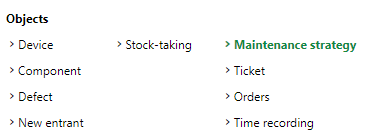
Maintenance Strategy Selection under Objects on the Maintenance Search Page
The search grid lists all existing maintenance strategies..
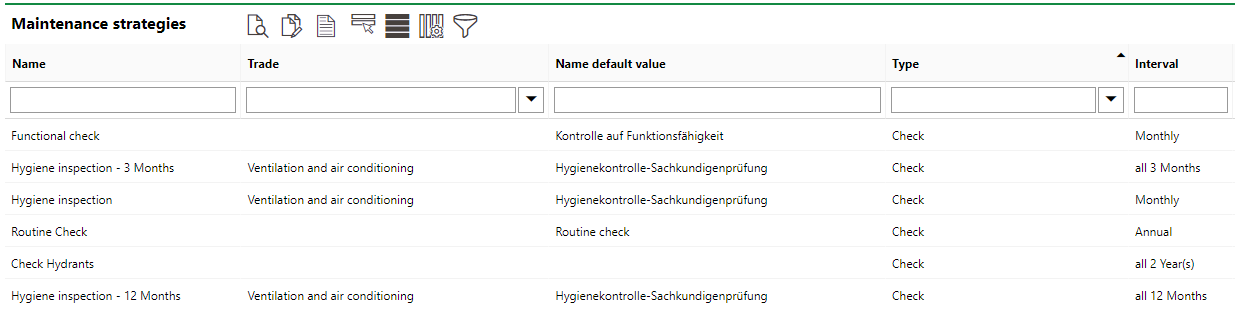
All System Maintenance Strategies Displayed in Search Grid
You cannot see maintenance strategies for vehicles on the search page. Maintenance strategies for vehicles can only be viewed in the Maintenance Strategies section on the details page for the vehicle or vehicle type for which they are created.
When maintenance strategies and intervals are established, VertiGIS FM programmatically schedules orders for the targeted assets. Orders can be seen in the Orders section on the details page for the asset (device, component, or vehicle). Refer to Orders for more information.
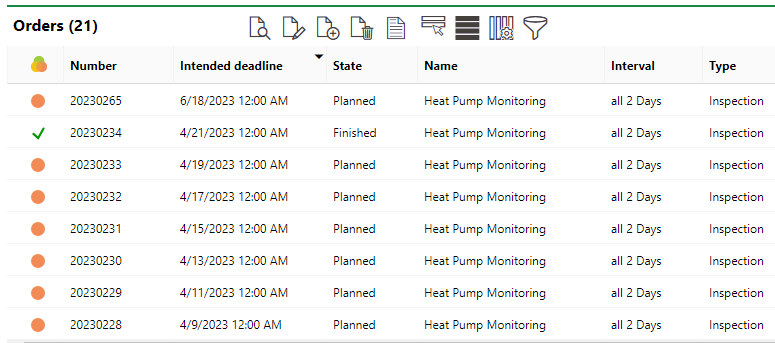
A device's orders (or appointments) generated as part of a maintenance strategy
Individual orders can also be scheduled manually instead of generated automatically as part of a maintenance strategy. Refer to Add Orders for instructions.
Other VertiGIS FM Products and Assets
Maintenance strategies are primarily associated with assets managed in VertiGIS FM Maintenance. You can create maintenance strategies for VertiGIS FM assets managed outside of VertiGIS FM Maintenance (for example, buildings managed in VertiGIS FM Buildings), but different rules apply:
•You can only use time-based intervals. Meter- and measurement-based intervals can only be used for devices and components managed in VertiGIS FM Maintenance (including those managed in the Fleet Management module).
•You create the maintenance strategy and the interval in the same step by clicking the Add ( ) icon in the Intervals section on the asset's details page.
•Each maintenance strategy you add to an asset other than a device or a component can only have one interval.
Maintenance Strategy Details
Each maintenance strategy created in VertiGIS FM has its own details page. You can access it by double-clicking a maintenance strategy in the Maintenance Strategies section on a type, device, component, or vehicle details page. or by double-clicking a maintenance strategy on the VertiGIS FM Maintenance search page.
The maintenance strategy details page includes the section and information fields outlined below.
Main Details
The Maintenance Strategy section on the maintenance strategies details page outline's the maintenance strategy core date and order-generating properties.
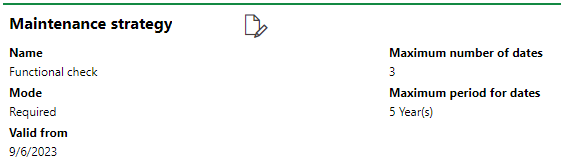
Maintenance Strategy Main Details
Maintenance Strategy Main Details
Detail |
Description |
|---|---|
Mode |
Whether the maintenance strategy is automatically applied to all devices or components in the type or vehicle type. Mandatory maintenance strategies are automatically generated for all assets in the type for which they are created. Optional maintenance strategies can be assigned only to selected assets within the type or vehicle type.
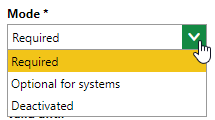
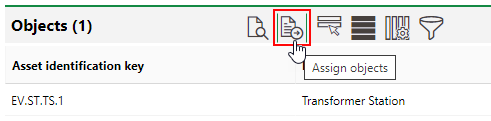
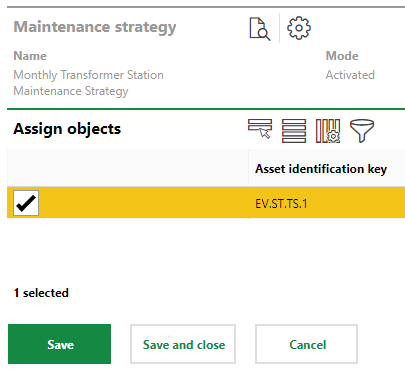
Mode Drop-down Menu If a maintenance strategy's mode is set to Required, all assets associated with the type or vehicle type are listed in the Objects section on the maintenance strategy details page, and no Assign Objects ( If a maintenance strategy's mode is set to Optional for systems, you can add select assets to the maintenance strategy by clicking the Assign Objects (
Object Section (Optional Maintenance Strategy) You can then select which assets in the type you want to apply the maintenance strategy to.
Device or Component Assignment |
Valid from |
The date the maintenance strategy will begin being active. |
Valid until |
The date until which the maintenance strategy will be active. |
Maximum Number of Dates |
The maximum number of orders in the future that the maintenance strategy will generate. If this field has a value of 10, the maintenance strategy will generate no more than 10 orders into the future. |
Maximum Period for Dates |
How far into the future for which the maintenance strategy will generate orders. If this field has a value of 1 year, and the maintenance strategy interval determines that maintenance should occur monthly, the system will generate 12 orders. |
Intervals
The Intervals section lists the intervals that have been created for the maintenance strategy. An interval is a set of rules that determines why, when, and how frequently the system will generate orders for the asset. Intervals can be configured to schedule orders based on meter readings, measurements, or after a certain amount of time elapses.
Refer to Intervals for more information.
Checklist Definitions
The Checklist Definitions section lists checklists associated with assets the maintenance strategy is applied to. Your users must complete these checklists before they can close orders generated by thew maintenance strategy.
If you created a maintenance strategy on a type details page in the Component Structure and are applying the maintenance strategy to components that are not part of a device's installing structure, you can also assign checklists for components in this section.
Refer to Checklists for more information.
Objects
The Objects section lists the assets (for example, devices, components, or vehicles) for which the maintenance strategy will generate orders.
For example, if you create a maintenance strategy on the type details page but do not want it to generate orders for all assets in the type, you can set the maintenance strategy's Mode property to Optional for systems, click the Assign Objects ( ) icon, and then restrict the maintenance strategy to the assets you select in this list.
Documents
The Documents section lists the documents, including image files, associated with the maintenance strategy. Refer to Document Management for more information, including instructions on how to upload a document.
Files uploaded into the Documents section for a maintenance strategy appear in the Documents section for all orders generated by the maintenance strategy.
Component Checklist Definitions
On the details pages for maintenance strategies created for devices, the Component Checklist Definitions section lists the checklists that are applied to components from the Component Structure in the device's installing structure. Your users must complete these checklists before they can close orders generated by this maintenance strategy.
This section is only visible if the maintenance strategy is applied to devices with an installing structure. For more information, refer to Maintenance Strategies for Assets with Installing Structures.