Create a user profile for any person you want to access your VertiGIS FM environment. The user profile contains general information about the person's access to the system, including their username, password, language, visibility settings, and more. You can create user profiles on the Administration > Roles/Permissions > User Management page.
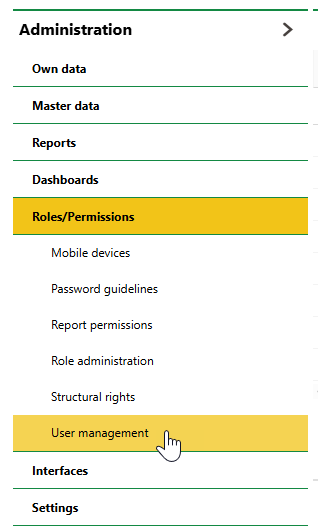
Navigation to User Management Page in System Administration
Alternatively, you can use an external authentication method to establish a user record for users in your Microsoft Entra ID tenant or Active Directory. Refer to External Authentication.
Any user you add to your system must be associated with an employee or a contact. Refer to Link a User with an Employee or a Contact.
Refer to Add a User for instructions. Refer to User Management descriptions of information fields in a user profile.