People who need access to your VertiGIS FM implementation require a user to authenticate in the application and manage their general system settings, and either an employee profile (internal staff) or a contact profile (external stakeholders) associated with their user profile. When the user navigates to their Personal Data page, it reflects their user profile as well as the data stored in the employee or contact profile associated with the user.
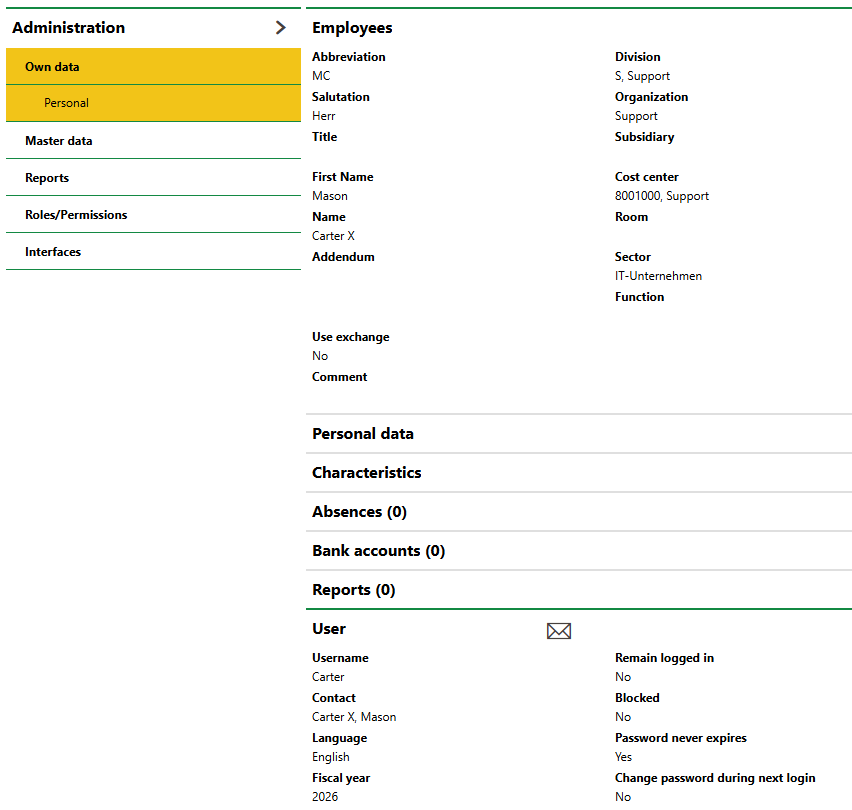
Employee Profile Associated with User Profile on Personal Data Page
Users, employees, and contacts must exist in the system before you can link them. Refer to the topics below for instructions:
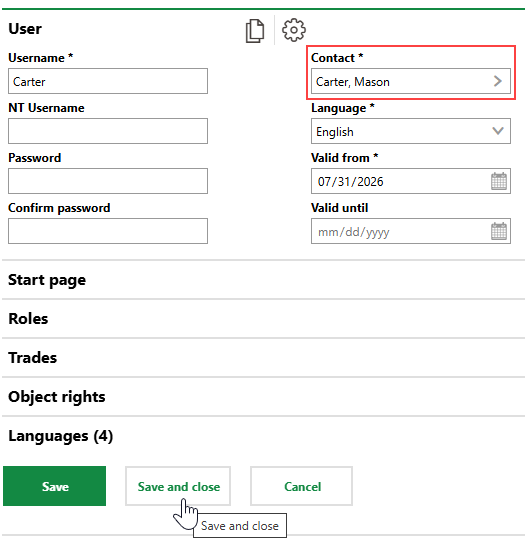
If these profiles exist in your VertiGIS FM database, you can link a user to an employee or a contact when you edit the user.
To Link a User with an Employee or a Contact
1.Navigate to the User Management administration page (Administration > Roles/Permissions > User Management).
2.Select the user you want to link to an employee or a contact profile and click the Edit ( ) icon.
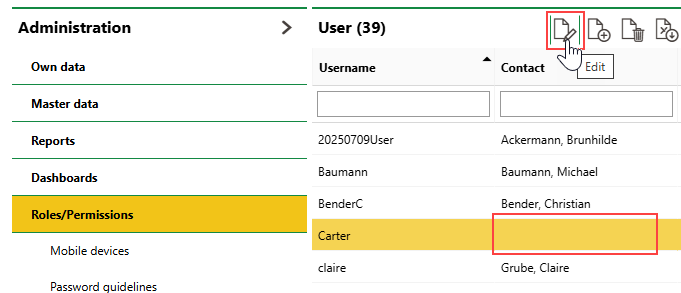
Names in the Contact column can refer to a contact profile or an employee profile.
3.Click the > button in the Contact menu.
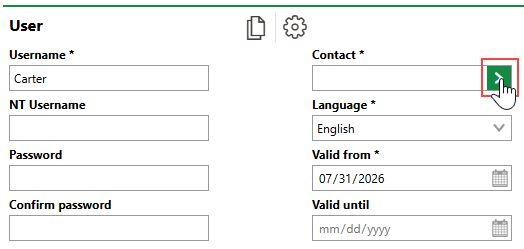
4.Select the employee or contact you want to associate with the user and click Apply, or double-click the employee or contact profile.
Employees and contacts are sorted into the same contact selection dialog. You can search by name, filter entries by Contact Type, or double-click a company and then select a contact associated with it.
5.Click Save and Close.